Prepare
Work backwards from tomorrow’s Fajr.
Sleep guidance designed around Fajr
Awan plans your night around tomorrow’s Fajr using the sleep goal you choose and can summarize recorded sleep history. Post-Fajr rest and qaylulah guidance are being prepared during beta.
Planned public offer: one eligible month free, then 9.99/year in local App Store currency.
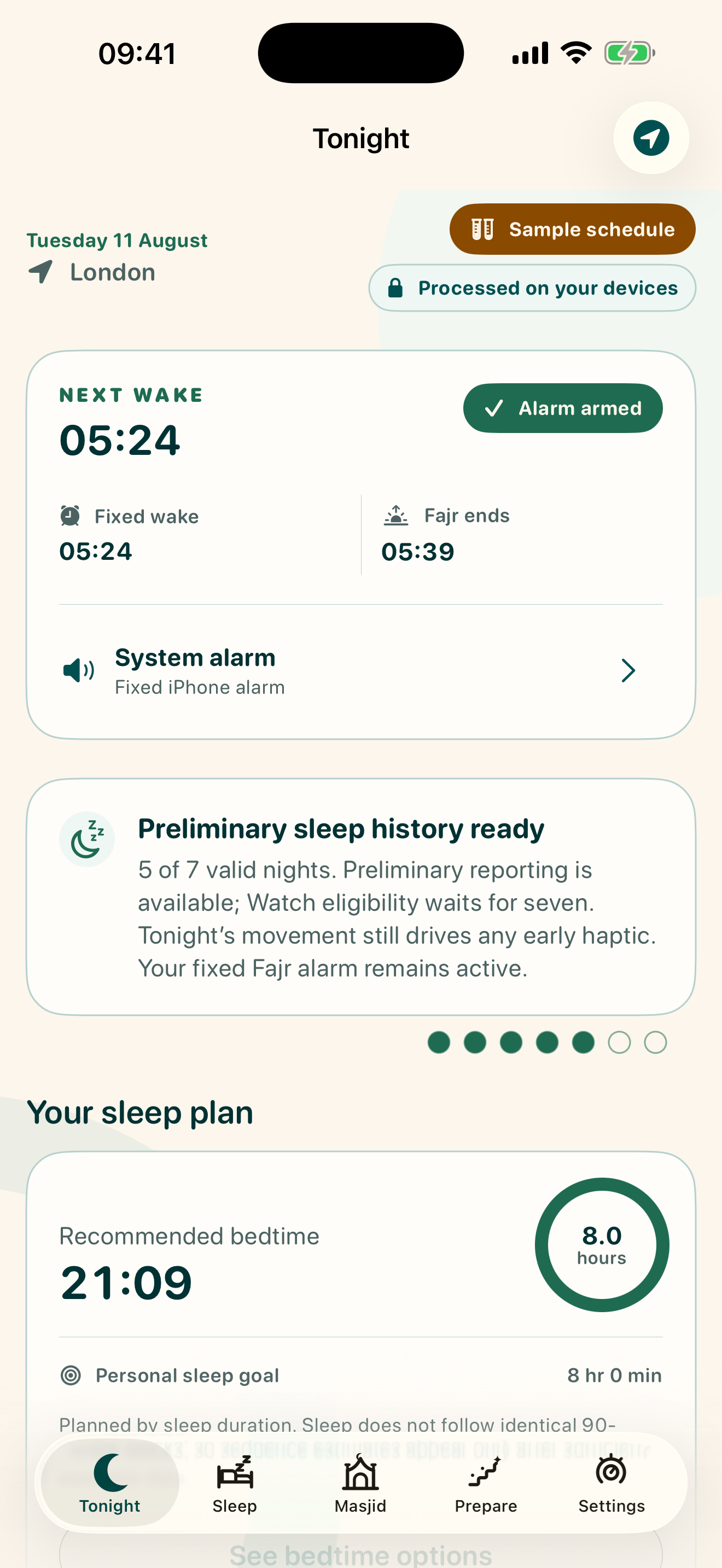
 Tonight
TOMORROW · LONDON
A plan that moves with dawn
A static alarm tells you when to wake. Awan helps you make useful decisions before bed, after Fajr, and later in the day.
Work backwards from tomorrow’s Fajr.
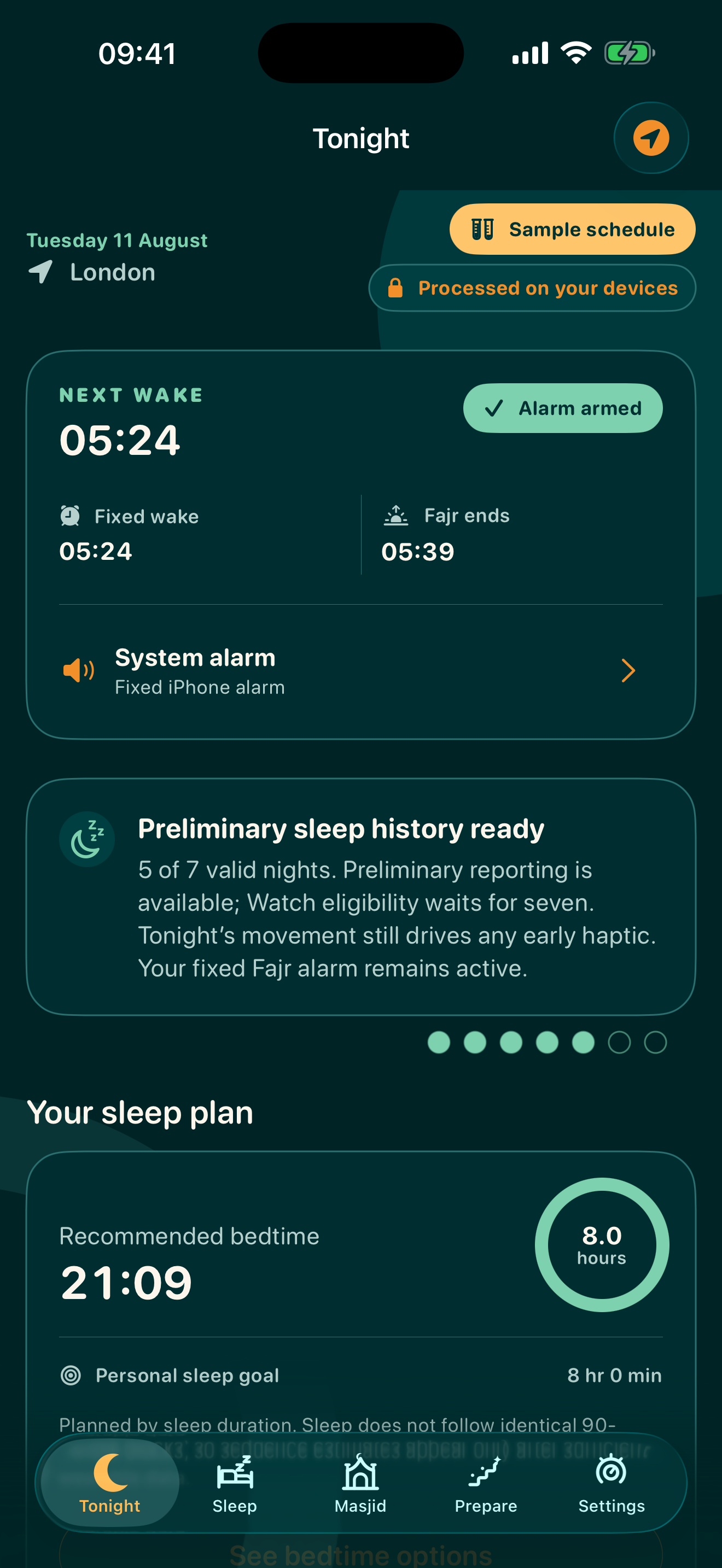
Confirm the fixed wake deadline and live alarm state.
Respond to the night you actually had.
Plan post-Fajr rest or a brief qaylulah.
One rhythm. Five useful decisions.
At Fajr
Awan keeps a fixed alarm deadline independent of optional Health and Watch data. Earlier Watch waking remains an internal research feature.
Fajr05:14Alarm armed · sunrise 05:39Multi-night reporting
Awan can summarize recorded sleep windows and wake times while retaining missing or unusable dates. The current planner continues to use the sleep goal you choose; recorded timing and duration do not alter the next plan.
Keep a backup alarm for important wake times while you evaluate Awan on your own device.
Completed sessions are represented and missing or unusable dates remain visible; the view does not change your next plan.
A calm place for practical decisions
Product preview. Interface and features may change before release.
An appointed time at dawn
Waking for Fajr places a meaningful anchor at the beginning of the day. Awan supports that intention with practical sleep planning—without guilt, streak pressure or one-size-fits-all advice.
Prayer-time conventions can vary. Awan shows the selected method and lets you align with a trusted local mosque.
Evidence, not certainty theatre
Awan focuses on multi-night patterns in duration, timing and regularity—not a mysterious score or a promise of a “perfect” 90-minute cycle.
Adults generally need at least seven hours regularly, though individual needs vary.
AASM consensus ↗Consistent sleep and wake timing is an important part of multidimensional sleep health.
Expert consensus ↗Consumer devices infer sleep and perform unevenly across devices and stages. Trends matter more than false precision.
Wearable meta-analysis ↗A short, earlier-afternoon nap may support alertness; later or longer naps can make night sleep harder for some people.
NHLBI guidance ↗Planned during beta · after Fajr
Awan can help you hold a regular final wake, consider morning light, and move tonight’s bedtime earlier when needed.
Protect total rest and your next commitment without pretending every person fits identical sleep cycles.
You can manually enter an optional brief-rest availability window. Awan does not currently infer or recommend a qaylulah from sleep history or your schedule.
Start simple. Connect only what helps.
Start without buying or wearing anything new. Awan can use your plan, morning check-ins and the permissions you choose.
Sleep-stage and sensor availability varies by device. Awan imports completed records for wellness guidance; it is not a medical device and does not promise live sleep-stage detection.
A few quiet steps each night
Confirm location, calculation method, timezone, high-latitude rule and any trusted local-mosque adjustment.
Use phone-only mode or connect a supported health platform with only the permissions you want to share.
Place your phone on a stable, ventilated bedside surface near the bed. Keep required sensors unobstructed. Never put a charging phone under a pillow, blanket or your body.
If you connect a wearable, charge it sufficiently, wear it as its manufacturer recommends, and allow its companion app to finish syncing.
Use Awan regularly and answer brief check-ins. The 7- and 14-date views represent completed sessions and flag missing or unusable dates without changing the sleep goal used by the current planner.
See bedtime and Fajr, then optionally enter your own post-Fajr and brief-rest availability windows. Awan does not automatically suggest either window.
Private by design
Awan’s beta is local-first: no account is required for the core app, sensitive sleep records remain in their source platform, and permissions are requested only when a feature needs them.
Read the privacy policy →Planned public offer · a month to try the beta
Then 9.99 per year in your local App Store currency. Trial eligibility, renewal timing and cancellation are shown clearly before purchase.
Clear answers before you start
No. Awan supports planning and requests a fixed alarm, but no app can guarantee wakefulness. Keep a reliable backup alarm—especially before you have tested Awan on your own device.
They summarize represented completed sleep sessions and show missing or unusable dates rather than silently dropping them. These views do not currently alter the sleep planner; planner personalisation remains planned and requires implementation and validation.
Yes. Phone-only mode combines your Fajr settings, chosen sleep goal and brief check-ins. A supported wearable can add completed sleep records when you choose to connect one.
You choose a calculation method, location and high-latitude rule. Awan shows the active method and supports a local-mosque adjustment because conventions can differ.
Return-to-rest guidance is planned during beta and is not available in the current planner. The current planner uses the sleep goal and schedule you choose; it does not infer a return-to-rest plan from recent sleep or commitments.
A qaylulah is a daytime rest or nap. Qaylulah recommendations are planned during beta and are not available in the current planner; Awan does not currently recommend one because a prior night was short.
No. The public and Beta app do not record ambient or bedroom audio and do not request microphone access. In an isolated internal-research build, you may explicitly choose a recording you exported from Voice Memos to Files; Awan processes only that selected file locally and does not browse Voice Memos or upload the recording.
No. Consumer sleep data and stages are estimates. Awan provides general wellness guidance and does not diagnose or treat sleep disorders.
Plan tonight around what matters tomorrow
Email the monitored beta address to register your interest. The website itself does not collect or store your address.